KsefMonitor downloads invoices received and issued from the Polish National e-Invoice System, groups them by month and keeps track of payments. No logging in to the tax portal.
Windows 7 / 8 / 10 / 11 · no new computer needed · scalable fonts · installs in minutes
WHY IT MATTERS
Your contractor issues an invoice against your tax ID and the document simply waits in the Ministry of Finance system. Nobody tells you — KSeF sends no e-mails or text messages to the buyer.
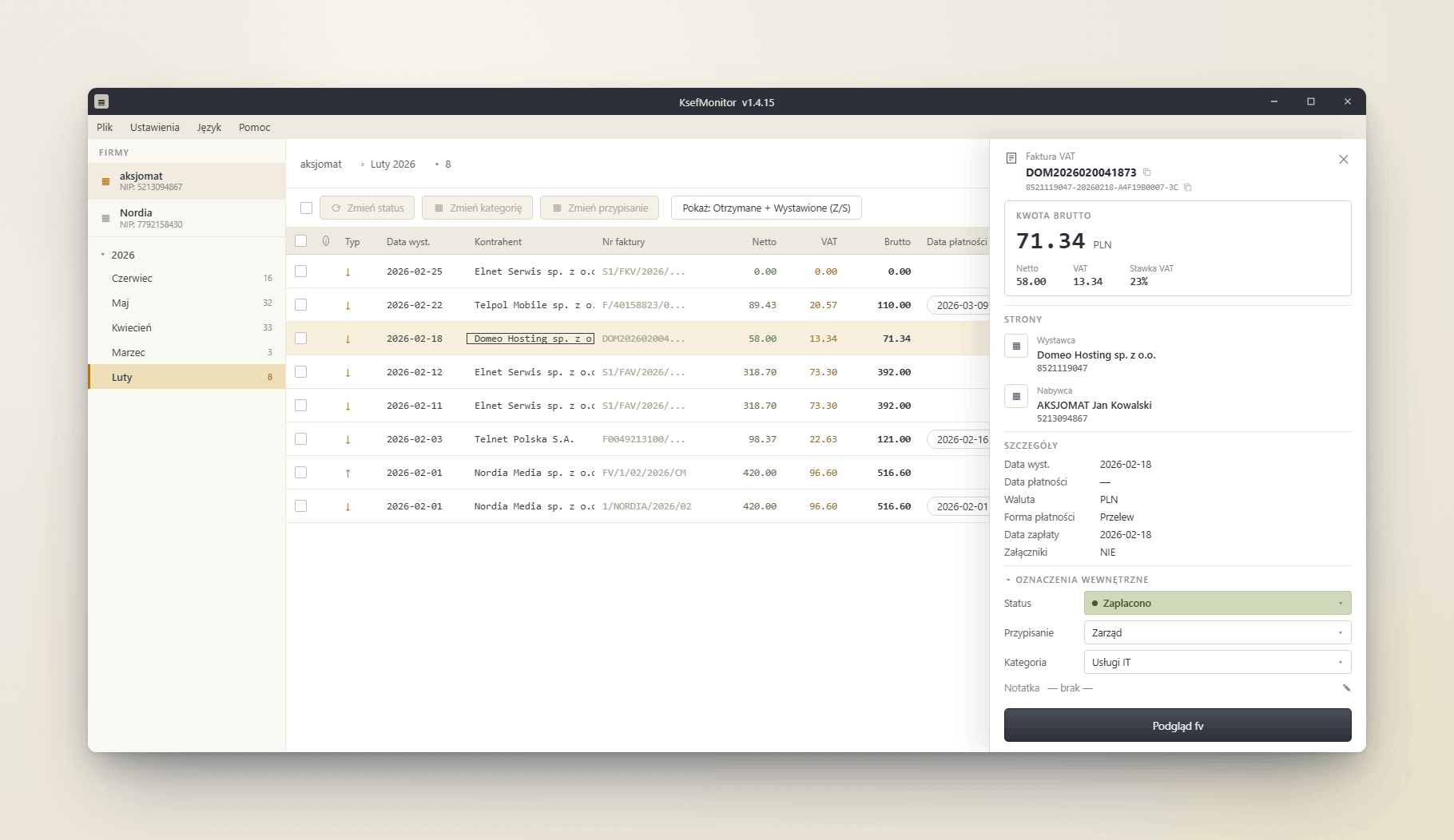
KsefMonitor watches it for you. A new invoice shows up on your desktop with a Windows notification, and you see every company document without asking accounting and without opening the portal.
HOW IT WORKS
One Windows installer — everything needed is inside, nothing else to install. You only choose whether data stays on this computer or in a shared company database.
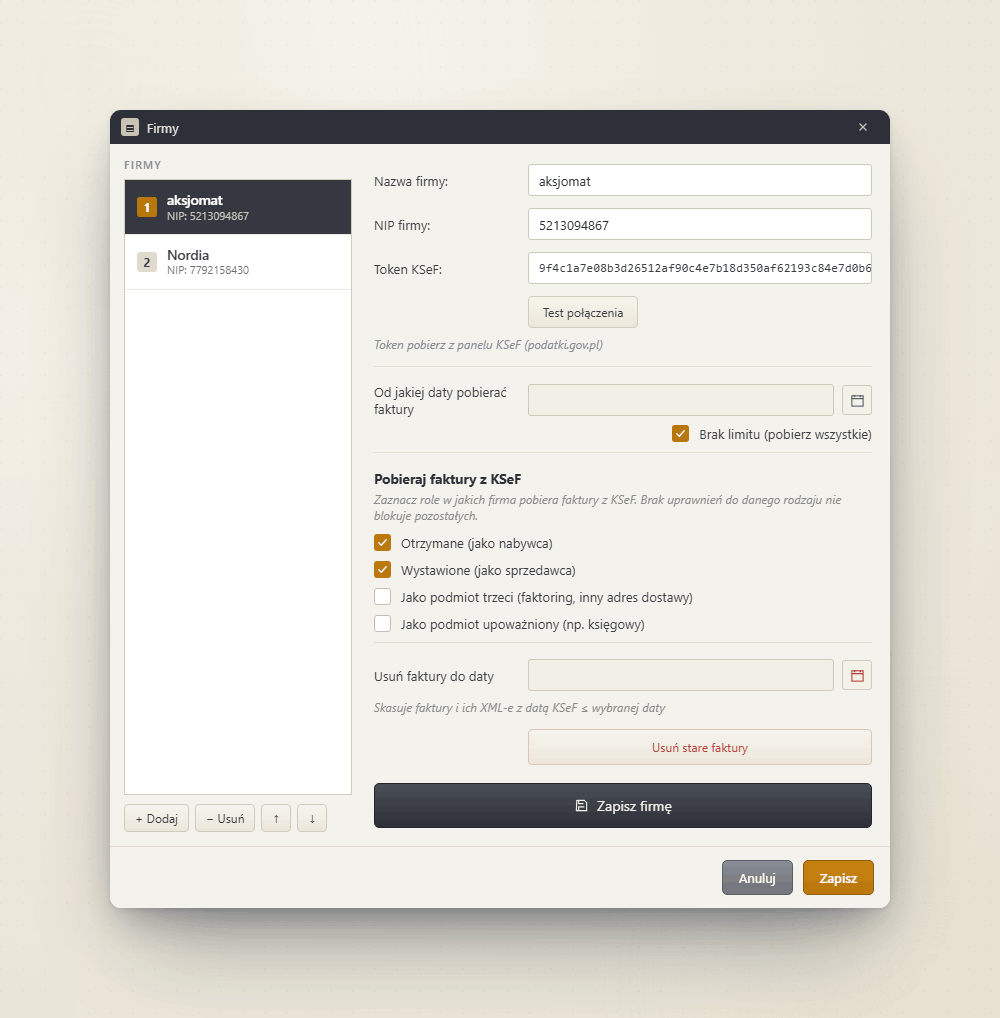
Generate the token in the taxpayer panel at podatki.gov.pl. Paste it into the company settings and test the connection with one click — you know immediately whether it works.
The program fetches history from a date you choose, then checks KSeF in the background and notifies you about every new invoice. You can close the window — it keeps running in the tray.
FEATURES
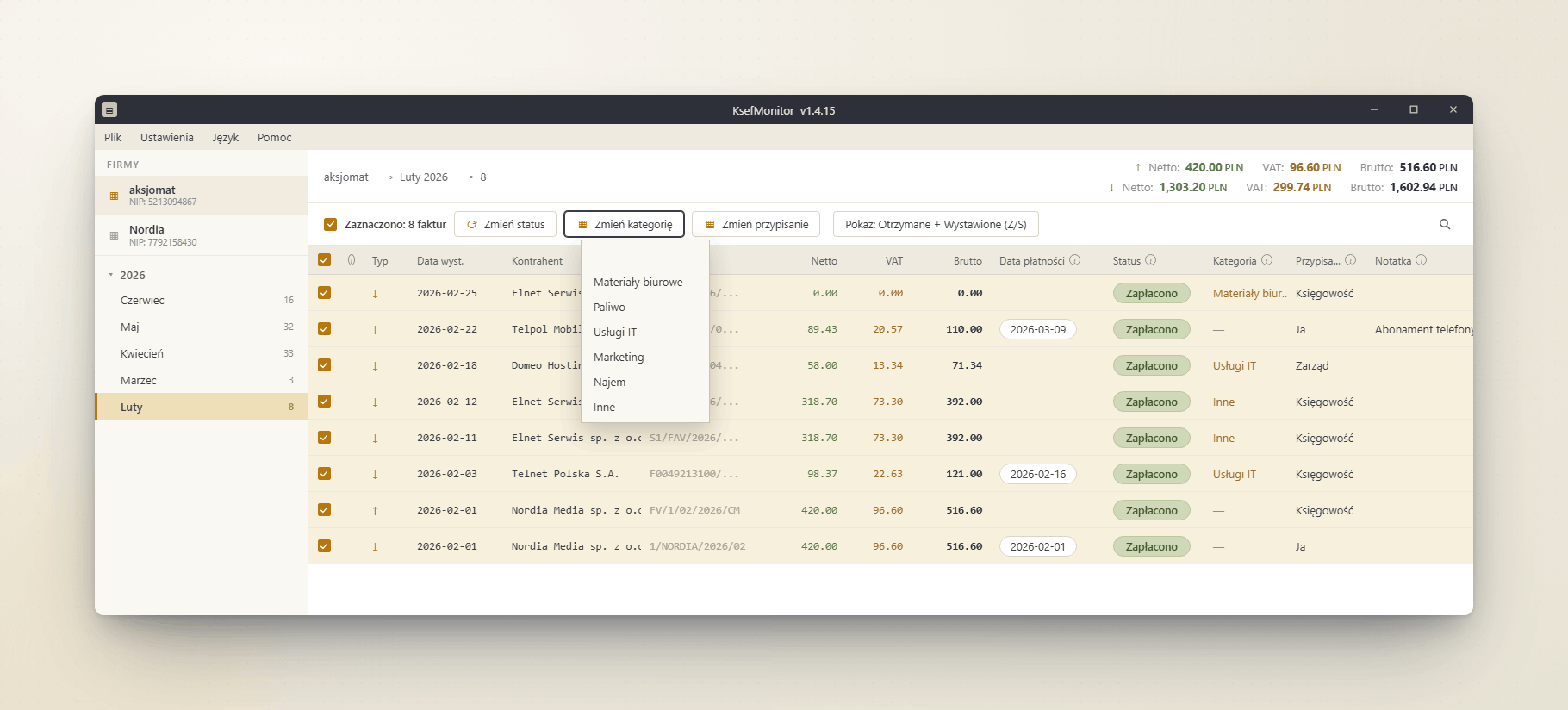
To pay, paid, disputed — your own statuses, cost categories and assignments to people. Due dates visible right in the list.
Select dozens of invoices and change status, category or assignment in a single click.
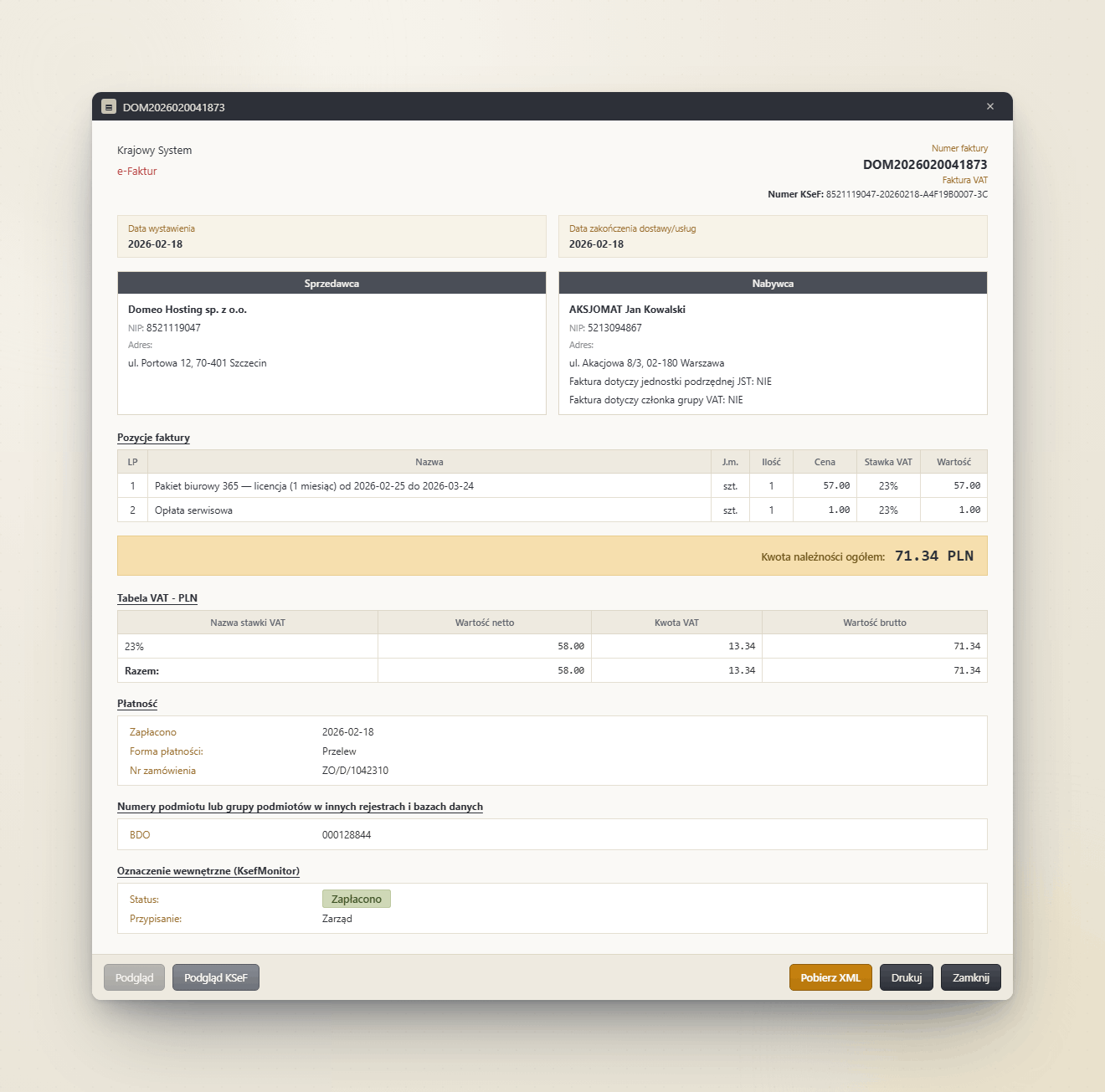
An invoice looks like an ordinary document: line items, VAT table, transfer details. Accounting also gets the full FA(3) structure, field by field.
Download the XML straight from KSeF with one click — exactly the file the Ministry of Finance sees.
Selected or all invoices go to a file ready for Excel or for import into your accounting system.
A new invoice in KSeF? A toast with the number, issuer and gross amount appears right away.
Each company has its own tax ID and token, in the role of buyer, seller, third party or authorised entity (accounting office).
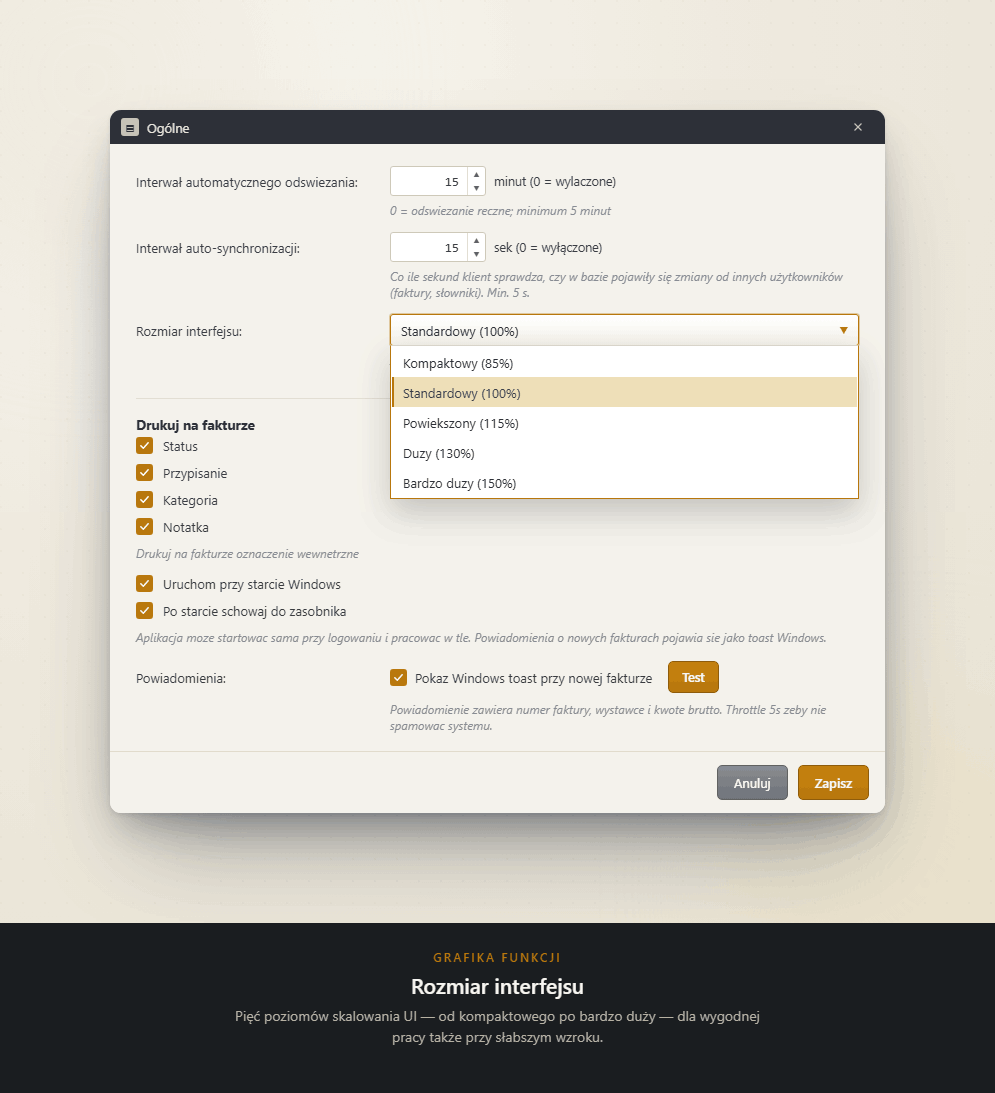
Interface scaling from 85% to 150% — real help for users with weaker eyesight. Applies instantly, no restart.
NO HARDWARE UPGRADE
KsefMonitor is a standalone application — it needs no browser and no new operating system. It runs on the computers that have handled your bookkeeping for years, where the official KSeF 2.0 Taxpayer Application often struggles.
The Ministry of Finance publishes no list of unsupported systems, but users of older Windows versions and browsers regularly report problems with the official application.
SCREENSHOTS
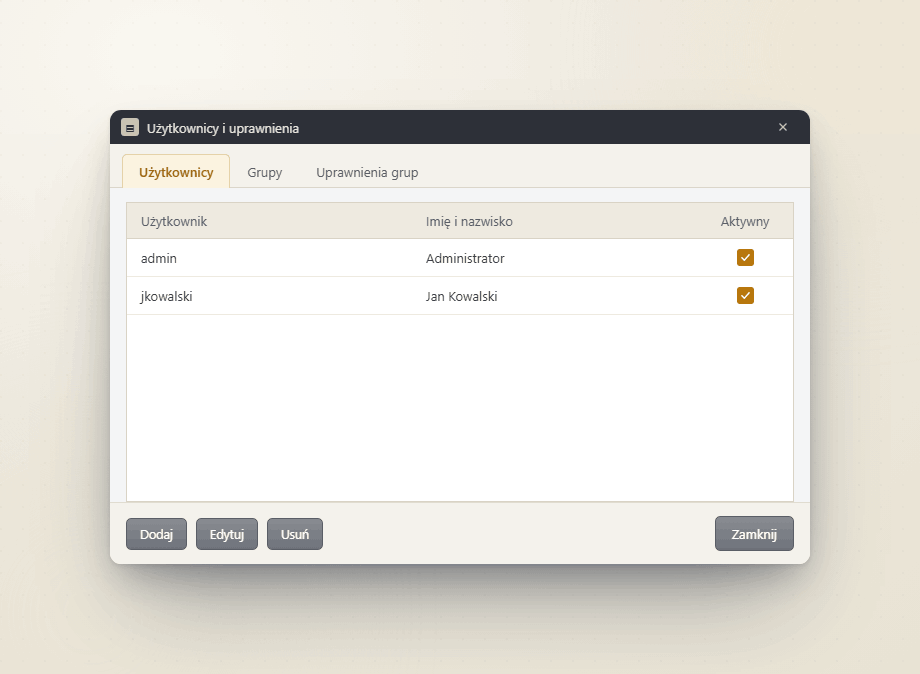
EDITIONS
The features are identical. The difference is where the data lives and how many workstations use it. Every licence is valid for 12 months — support and updates included.
for a one-person company or a small office
169 złincl. VAT
for teams, accounting departments and bookkeeping offices
799 złincl. VAT
| Operating system | Windows 7 / 8 / 10 / 11 |
|---|---|
| Database | local (local edition) or Microsoft SQL Server (network edition) |
| Integration | KSeF API — FA(3) structure |
| Languages | Polish, English, German, French |
| Trial period | 21 days of full functionality, no card required |
YOUR DATA
KsefMonitor connects to KSeF directly from your computer. Invoices land in a local database or on your own SQL server — they never pass through any intermediate service. The KSeF token never leaves your configuration.
No intermediate cloud — a direct connection to the Ministry of Finance API.
The authorisation token is stored on your machine only.
Local database backups are created automatically.
The program checks for updates and licence status — the licence agreement describes exactly what is sent.
No. KsefMonitor downloads and organises documents from KSeF — issuing is done by your accounting system or the Ministry of Finance application. This is a tool for controlling what comes in and goes out.
From the taxpayer panel at podatki.gov.pl — Permissions → Generate token. You paste it into the company window and test the connection before saving.
Only for the network edition, when several workstations share the same data. The local edition keeps data in a file on your computer and needs no server setup at all.
The program stops downloading new invoices from KSeF, but all existing data remains available — you can browse, print and export it. Enter a licence key and downloading resumes; nothing is lost.
No. Invoices stay in your database, local or company-wide. The program only talks to the KSeF API and to our update server, which receives technical data and licence status (details in the licence agreement).
The licence is valid for 12 months and includes support and updates. Afterwards the program still shows collected data; to keep downloading new invoices you renew the licence.
Yes. The local edition handles up to 2 companies, the network edition has no limit. Each company has its own tax ID and KSeF token, and you filter invoices by company.
The program checks for a new version itself and tells you in a window. You start the update with one click — data and settings stay untouched.
Yes. KsefMonitor runs on Windows 7, 8, 8.1, 10 and 11. It needs no browser and no system upgrade, so you do not have to buy a new computer to handle KSeF — the machine your bookkeeping already runs on is enough.
Yes, and it scales the whole interface, not just the text: five levels from 85% to 150% (windows, buttons, tables). The change applies instantly, without a restart, and is remembered. Real help for older users and anyone with weaker eyesight.
Internet is needed only while the program downloads invoices from KSeF. Browsing, filtering, printing and exporting already downloaded documents work offline — the data is in your own database.
Yes. The program supports the authorised entity and third party roles, so it downloads invoices of clients you have KSeF permissions for. With many clients the network edition fits best — no company limit, a shared database and permissions per employee.
Install it on the new machine, point it at the same network database or move the local database file, then paste the same licence key. The licence belongs to the company, not to a specific piece of hardware.
Yes. The program reads the full FA(3) structure — regular, correcting, prepayment and settlement invoices, together with correction and payment data. The preview shows them as ordinary documents, and accounting can see every field of the structure.
Your question is not here? Contact →
Full functionality for 21 days. No card, no commitment — install it, paste your token and see your KSeF documents.
Download KsefMonitorInstaller for Windows 7 / 8 / 10 / 11 · nothing else to install