NO HARDWARE UPGRADE
The e-invoicing obligation does not have to mean replacing hardware across the company. KsefMonitor is an ordinary Windows program and runs on the machine your bookkeeping has used for years.
The official KSeF 2.0 Taxpayer Application runs in a browser. In practice its requirements are the requirements of a current browser and a current operating system — and on Windows 7 or 8.1 new Chrome and Firefox releases stopped long ago. The Ministry of Finance publishes no list of unsupported systems, but users of older workstations regularly report problems with signing in, signatures and document display.
In companies where accounting runs on proven hardware with an installed bookkeeping system, this means an unplanned cost: a new computer, data migration and retraining a person who has just got used to the current setup.
KsefMonitor is a standalone desktop application. It uses no browser and needs no system upgrade — it talks to the National e-Invoice System API directly, downloads documents and stores them in a database on your computer or your company server.
The second real barrier on older workstations is readability. KsefMonitor scales the whole interface in five steps: 85%, 100%, 115%, 130% and 150%. Fonts grow, but so do invoice table rows, buttons, form fields and dialogs — nothing breaks and nothing slides off the screen.
The change applies immediately, without closing the program, and the choice is remembered between sessions. One workstation can serve both someone who wants to see as many invoices at once as possible and someone who needs large letters.
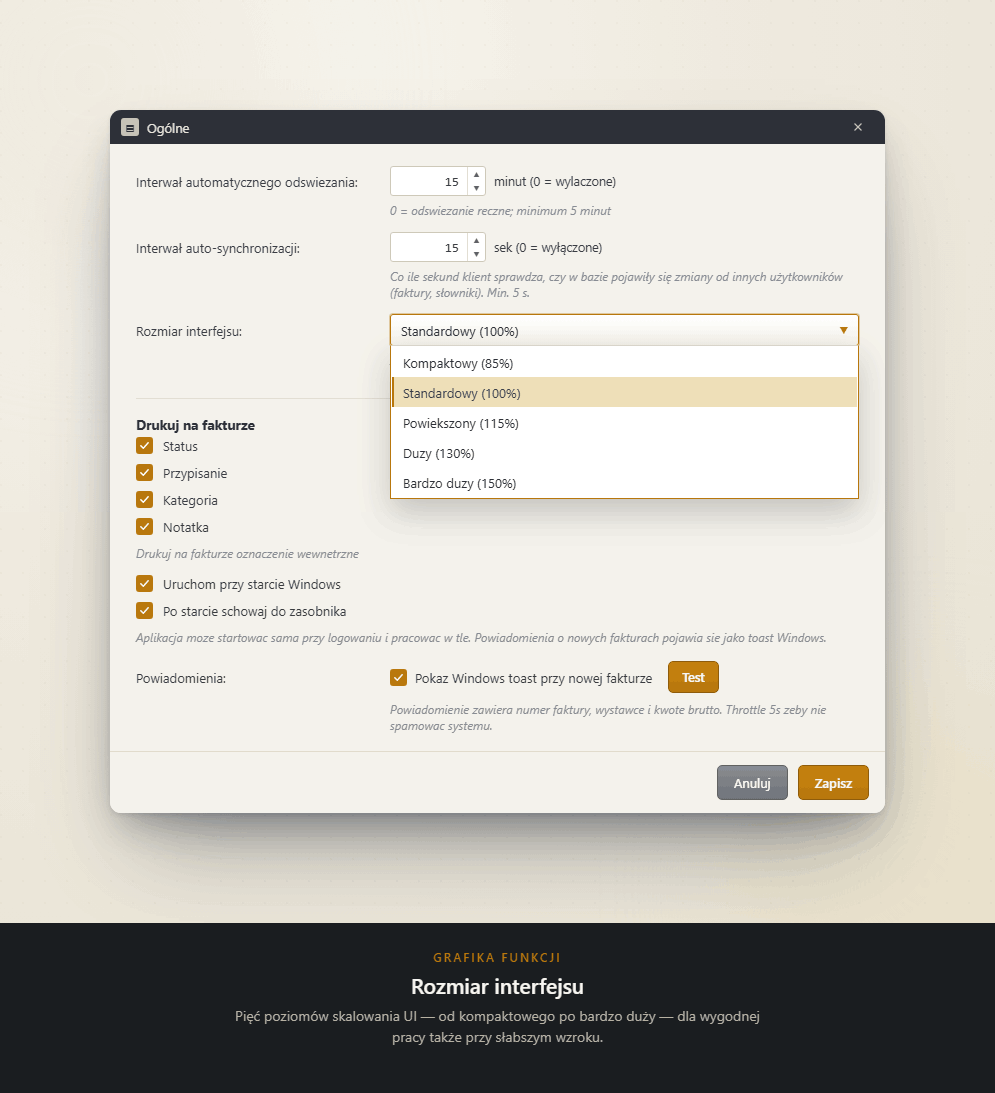
Below is the same fragment of the invoice list: standard setting on the left, 150% scaling on the right. Not only the letters grow — row heights and spacing do as well, so the table still fits together and nothing overlaps.
| Invoice number | Contractor | Gross |
|---|---|---|
| FV 118/08/2026 | Kowalski Office | 1 230,00 |
| FV 119/08/2026 | Nord Wholesale | 8 476,50 |
| Invoice number | Contractor | Gross |
|---|---|---|
| FV 118/08/2026 | Kowalski Office | 1 230,00 |
| FV 119/08/2026 | Nord Wholesale | 8 476,50 |
Illustrative preview reflecting the proportions of the program interface.
The program does not merely "open KSeF" on an old computer — it organises invoices the way the portal does not: payment statuses, cost categories, due dates, notifications about new documents and a preview of every e-invoice as an ordinary document.
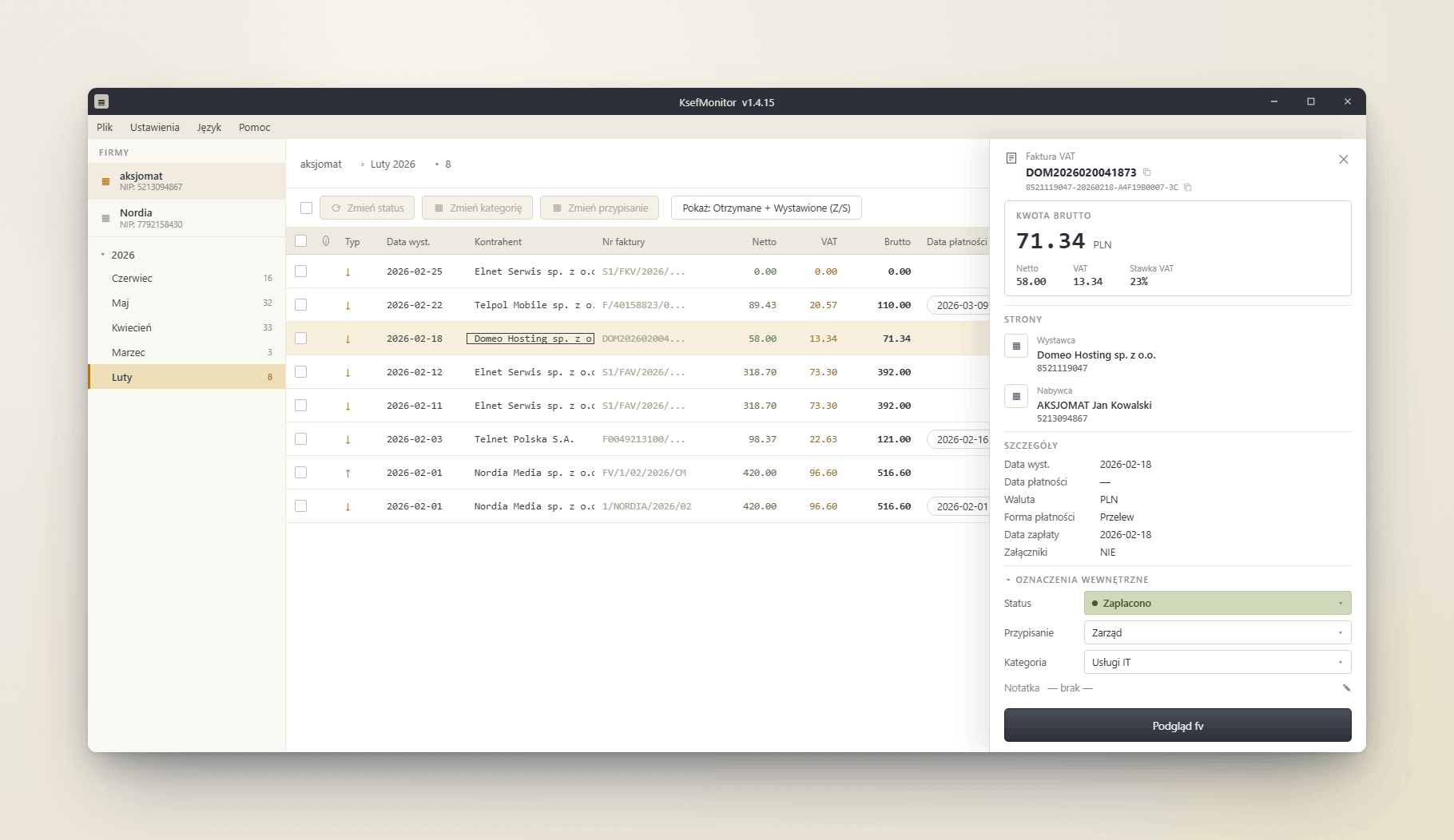
The simplest way to find out is in practice: download the trial and run it on the workstation you are worried about. Full functionality for 21 days, no card required.
Download KsefMonitor